
Warehouse Synchronized Clock System
Synchronized Time Displays for Warehouses and Distribution Centers
Warehouses are large working environments where employees may be spread across storage aisles, picking zones, packing stations and loading areas.
A clock that is easy to see from one workstation may be difficult to read from another part of the building. HC Electronics provides synchronized clock solutions for warehouses and distribution centers, helping facilities plan visible time displays around viewing distance, ceiling height, work zones and installation conditions.
A well-planned warehouse clock system gives employees a consistent time reference throughout the facility without relying on individually adjusted clocks.
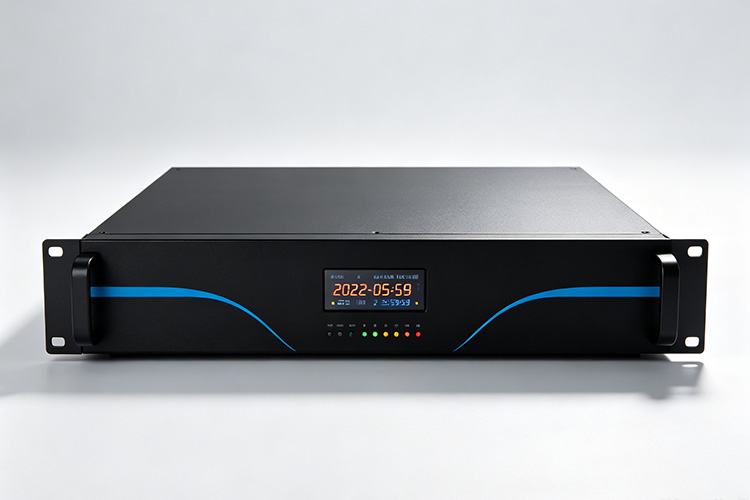
Why Warehouses Need Synchronized Clocks
Warehouse work takes place across many different zones:
- 01Receiving areas
- 02Storage aisles
- 03Picking locations
- 04Packing stations
- 05Loading docks
- 06Staging areas
- 07Staff entrances
- 08Break rooms
Employees working in these areas may not have convenient access to a computer screen or personal device.
Visible synchronized clocks provide a shared time reference that can support:
- Shift awareness
- Break and return times
- Coordination between warehouse areas
- Daily facility routines
- Clear time visibility across large working spaces
Plan Clock Visibility Around the Warehouse Layout
Warehouses are different from offices because viewing distances can be much longer and sightlines can change as storage layouts change.
Before selecting clock positions, review the building from the places where employees actually work.
Storage Aisles
Tall shelving can block a clock that appears highly visible from an open central area.
When planning clocks for storage aisles, consider:
- Rack height
- Aisle direction
- Cross-aisle visibility
- Employee travel routes
- Forklift and equipment movement
A display positioned at the end of an aisle may serve one direction well while remaining hidden from another.
For long storage areas, identify the principal viewing points rather than assuming one central display can cover the entire warehouse.
Picking Areas
Picking employees often move between shelves, carts and work zones throughout a shift.
Clock placement should consider:
- Normal travel direction
- Obstructions created by racks
- Picking-station positions
- Viewing height
- Distance between work zones
The goal is to make the clock visible during normal movement without requiring employees to leave their work area simply to check the time.
Packing Stations
Packing areas usually have more fixed working positions than storage aisles.
Review visibility from the actual workstation, including:
- Packing tables
- Computer monitors
- Shelving
- Label printers
- Overhead equipment
A wall or suspended clock can provide a common reference across several packing positions if the display remains unobstructed.
Loading and Shipping Docks
Dock areas may contain open doors, trailers, equipment and changing lighting conditions.
Clock planning should consider:
- Dock-door positions
- Staging areas
- Driver and employee sightlines
- Mounting height
- Daylight from open doors
A display that is clearly visible at night or with doors closed may be harder to read when daylight enters the loading area.
Evaluate the clock under the conditions normally experienced during warehouse operations.
Choose the Display for Long Viewing Distances
Large warehouses often require greater viewing distances than offices, meeting rooms or smaller commercial spaces.
Display selection should consider both digit size and actual installation position. Important factors include:
- 01Distance from the viewer
- 02Mounting height
- 03Viewing angle
- 04Ambient lighting
- 05Background contrast
- 06Number of viewing directions
Do not select a clock only because it is described as a “large display.” Review the actual digit dimensions and confirm how the proposed model performs from the intended viewing positions.
Where workers approach from opposite directions, consider whether one single-face display is sufficient or whether a different viewing arrangement is required.
Plan Mounting Around High Ceilings and Open Spaces
Warehouses frequently have high ceilings and large uninterrupted wall areas.
These conditions create more mounting options, but they also affect installation and future maintenance.
Wall-Mounted Clocks
Wall-mounted displays may suit:
- Packing areas
- Staff entrances
- Break-room approaches
- End walls
- Dock areas
Before installation, verify that shelving or future storage equipment will not block the selected position.
Suspended Clocks
A suspended display may provide better visibility where employees approach from several directions.
For a suspended installation, review:
- Mounting height
- Structural support
- Viewing direction
- Cable routing
- Clearance from material-handling equipment
The mounting assembly should be reviewed together with the clock rather than treated as a separate afterthought.
Any structural fixing should be approved for the building conditions by the responsible installer or facility team.
Consider Lighting and Background Conditions
Warehouse lighting can vary significantly across the building.
Storage aisles, loading docks and packing areas may use different lighting arrangements, and open dock doors can create strong changes in brightness during the day.
When reviewing a digital clock, consider:
- Indoor lighting level
- Daylight exposure
- Distance from bright doors or windows
- Background wall color
- Required brightness adjustment
The display should remain readable without becoming unnecessarily bright for nearby employees.
For locations with unusual environmental conditions, provide those details before selecting the clock. Any requirement involving moisture, dust, temperature or enclosure protection should be verified against the specifications of the proposed model.
Keep Clock Locations Practical for Maintenance
A highly visible position may also be difficult to access.
Before installing clocks above racks or high on warehouse walls, consider how maintenance staff will reach them later.
Review:
- Ladder or lift access
- Clearance around shelving
- Access to electrical or communication connections
- Whether warehouse operations need to stop during service
- Whether the clock can be removed without disturbing nearby equipment
Where possible, choose a location that balances visibility with safe and practical maintenance access.
Keep a simple location record for each installed clock so maintenance teams can identify the correct unit when a problem is reported.
Plan Clock Locations Around Warehouse Changes
Warehouse layouts often change over time.
New racking, different picking zones or additional packing stations can alter previously clear sightlines.
For a new project, consider likely changes such as:
- Additional shelving
- Higher storage racks
- Expanded packing areas
- New dock positions
- Changes to pedestrian routes
Clock locations do not need to anticipate every future layout, but important displays should not depend on a narrow sightline that could easily disappear after a routine warehouse change.
For an existing facility, review visibility again when the layout is substantially modified.
Upgrade Existing Warehouse Clocks
Many warehouses already have clocks installed in different areas.
Before replacing them, identify why the current arrangement needs improvement. Typical reasons may include:
Different clocks showing different times
Displays that are difficult to read
Clocks hidden by new shelving
Inconvenient maintenance locations
Additional warehouse areas without visible time
Old equipment that no longer fits current facility requirements
Review each existing location rather than automatically installing the replacement in exactly the same place.
A previous position may no longer be appropriate after changes to racks, workstations or material flow.
For clocks you intend to retain, provide the existing equipment details so compatibility can be reviewed before additional synchronized displays are introduced.
Warehouse Clock System Questions
How large should a warehouse clock be?
The required size depends on the actual viewing distance, mounting position and surrounding conditions.
Provide the approximate longest distance from which employees need to read the clock and the proposed installation height. The display can then be reviewed for that location.
Is one clock enough for a large warehouse?
Not always.
Tall storage racks and long aisles can block sightlines even in one open building. Review the principal working and movement areas before deciding the number of clock locations.
Several carefully positioned displays may provide better visibility than one oversized clock.
Where should clocks be installed near loading docks?
Choose locations that remain visible from the intended work areas without interfering with doors, dock equipment or safety information.
Also consider changes in daylight when exterior doors are open.
Can existing warehouse clocks be replaced gradually?
Yes.
A replacement project can be divided by warehouse zone. Identify which clocks will remain in service, which locations require replacement and where additional displays are needed.
Compatibility and connection requirements should be reviewed for equipment that will continue operating.
Plan Your Warehouse Clock Solution with HC Electronics
Send HC Electronics a warehouse floor plan or a simple layout showing:
- 01Storage aisles
- 02Picking areas
- 03Packing stations
- 04Loading docks
- 05Staff areas
- 06Proposed clock positions
Include approximate viewing distances, ceiling heights, available mounting surfaces and any existing clocks you want to retain.
We can review the facility requirements and discuss a synchronized clock configuration suited to the visibility and installation conditions of your warehouse or distribution center.