

NTP Synchronized Clock System
Bring facility clock displays into your network time environment. HC Electronics helps configure NTP synchronized clock systems around compatible displays, time-source equipment and the infrastructure available at your site.
Plan a new installation or extend an existing network time service to additional clock locations. The project starts with an approved source of time and a clear connection plan for every area being served.
Request an NTP Clock System Proposal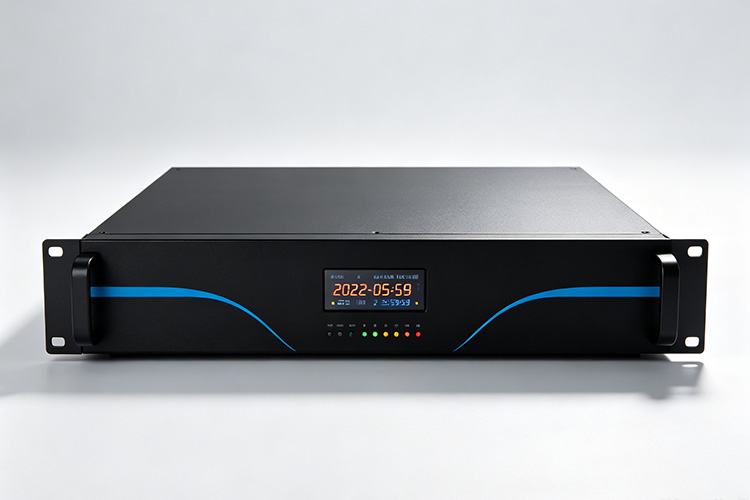
Start with the Time Service Your Organization Uses
An NTP clock system does not always require a new time server. Where an organization already operates a suitable NTP service, the clock installation can be planned around that infrastructure. Using internal time servers is an established approach to distributing time within an organization.
Confirm the Approved Service
Ask your IT team to identify the service the clocks are permitted to use. Confirm that the proposed receiving devices meet its protocol and access requirements, and that the service can accommodate the additional demand.
Add an NTP Clock Server
Where no suitable service is available, include an NTP clock server in the proposed equipment package. Identify how that server will obtain its reference and which parts of the installation will depend on it.
Keep Ownership Clear
The agreed design should distinguish an existing customer-provided service from a newly supplied server. This keeps equipment costs and operational responsibilities clear from the beginning.
Combine Network Connections Across the Installation
Different areas do not need identical connection arrangements to participate in the project. HC Electronics provides network-connected clock options, including Ethernet-powered and Wi-Fi configurations, which can be assessed against the intended time service.
Cabled Areas
For areas with accessible network cabling, identify the connection available at each proposed display position. Where PoE is used, account for the clock load and available switch power; PoE provides electrical power over Ethernet rather than replacing the time service.
Wireless Areas
For Wi-Fi areas, include wireless coverage and device-access approval in the site review. Record which locations will use wireless access and how their operating power will be provided.
A Single NTP Service Plan
Keep these connection choices within one NTP service plan. Specify the approved source for each group and verify the proposed clocks against it before committing to the full installation.
Prepare the Network Before Installing the Clocks
Coordinate the clock project with the people responsible for network addressing, access permissions and the time service. The following decisions should be resolved before installation begins.
| Project Decision | What to Agree |
|---|---|
| Clock locations and network groups | Which building areas and network segments will contain the displays. |
| Address allocation | The approved method of assigning addresses, supported by the selected clocks, and how installed units will be identified. |
| Time-source assignment | The approved server address or supported hostname used by each group. |
| Supporting network services | Any address-assignment or name-resolution services required by the chosen configuration. |
| Permitted communication | The network paths and access permissions needed between the clocks and their time service. |
| Operational ownership | Who maintains the time service, approves network changes and handles clock configuration records. |
Identify restrictions early, especially where clocks will be placed on a separate device network. Keep permissions specific to the approved communication paths rather than treating unrestricted network access as an installation requirement.
The resulting network plan should be usable by both the installer and the IT team. A clock position should have an agreed connection and source assignment, not just a mark on a floor plan.
Validate a Representative Area Before Wider Deployment
Begin the site evaluation with clock positions that represent the different connection conditions in the project. Include each proposed access arrangement and any network segment with distinct restrictions.
For the evaluation, confirm that the installed clock can obtain its address, reach the approved service and accept time from that service. Then review the displayed time against the agreed reference.
Successful synchronization in one room should not be used as acceptance for an untested network segment. Include the relevant connection paths in the evaluation before repeating the configuration across the remaining locations.
Agree the installed-system timing tolerance and measurement method in advance. Network delay and the receiving implementation affect synchronization, so a server’s published accuracy should not be treated as a guaranteed result at every clock display.
Resolve any configuration or access changes during this representative deployment. Record the accepted settings before the remaining installation work proceeds.
Expand with the Network and Time Service in Mind
Plan future clock additions by area and connection type, not only by a total quantity. Identify the extra network access, power and device registrations needed when another floor or building is added.
Size the Time Service
Review the expected requests to the time service alongside the expanded device count. Polling behaviour and the selected server’s capacity are relevant to sizing an NTP deployment; there is no universal clock-count limit that applies to every arrangement.
Stage the Rollout
For a staged rollout, separate the initial installation from later additions in the equipment schedule. Record any infrastructure work that must be completed before a subsequent stage can proceed.
Retain Area Records
Retain the approved source assignments and network requirements for each completed area. This gives future installers a documented starting point without assuming that every new location can reuse the same connection settings.
Establish Ongoing Checks and Recovery Requirements
Agree how the organization will recognize a loss of synchronization after handover. NTP operational guidance recommends monitoring the time service and reviewing available logs to identify problems. The monitoring information available from individual clock models must be confirmed separately.
Assign Responsibility
Define who responds when the time service becomes unavailable and who investigates an affected clock or network area. Include the supported method for checking a display that is still running but may no longer be receiving its reference.
Verify Failover Behaviour
Where an alternative time source is required, verify how the selected clocks use it. Do not assume automatic failover merely because a second server exists on the network.
Test Recovery
For acceptance, agree the relevant interruption scenarios and expected recovery. Distinguish loss of network access from loss of operating power, and confirm how the proposed installation resumes normal synchronization after each agreed test.
Define the Project Package
Supplied Equipment
Request a proposal that separates supplied equipment from existing infrastructure. It should identify the clock quantities and configurations, any new time server, and the accessories included for the agreed locations.
Site Infrastructure
Network switches, wireless access points, cabling, power provision and site labour should each have an assigned supplier or responsible party. They should not be assumed to be included in the clock equipment price.
Completion Records
At completion, retain the final device-location record, approved time-source assignments, applicable configuration information and site test results. Document how later network changes will be reviewed so the clock installation remains part of the organization’s maintained infrastructure.
NTP Clock System Project Questions
Does the installation need continuous internet access?
Not inherently. NTP can distribute time over a private network. An installation using a reachable internal time service does not require every clock to contact an internet server.
However, the internal service may itself depend on an external reference. Include that dependency in the availability review and confirm the expected behaviour if the external connection is interrupted.
Must every clock be on the same subnet?
No. A suitable client-server arrangement can distribute NTP across routed networks when the communication paths and access controls permit it. Separate subnets do not automatically require separate time servers.
For a multi-building project, identify the routes between each clock area and its assigned service. Have the network team approve those paths, then include representative locations from each area in the site test.
Plan Your NTP Synchronized Clock System
Send HC Electronics the proposed clock locations, initial quantity and preferred installation stages. Identify any existing NTP service, the available Ethernet or Wi-Fi connections and the person responsible for network approval.
Include required operating continuity, future additions and the work you expect the supplier to provide. We will review the project requirements and discuss an NTP clock system proposal covering the equipment, network prerequisites and commissioning scope.