
WiFi Synchronized Clocks
Add a synchronized time display without running an Ethernet data cable to the clock. HC Electronics WiFi synchronized clocks connect through a compatible wireless network, offering a practical option for clock positions where a wired data connection is unavailable or inconvenient.
Select your clock around the wireless network it will join, the display you need and the power available at its mounting position.
WiFi Wall Clocks for Existing Spaces
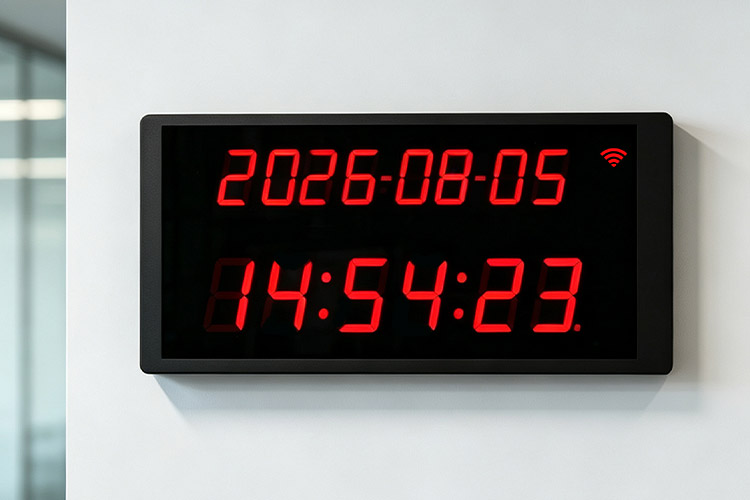
A clock should be positioned where people can read it—not simply where a network socket happens to be installed. WiFi connectivity allows the data connection to be made through a suitable wireless access point rather than a cable terminating behind the display.
For an existing room or refurbished space, evaluate the intended clock position together with the local power connection. Include any restrictions on visible power leads, access behind the enclosure or mounting height when requesting a product recommendation.
Wireless reception should be checked at the actual mounting position. Building materials, obstructions and interference can affect the connection, so a nearby working device is not a substitute for evaluating the proposed clock in its intended location.
Match the WiFi Clock to Your Wireless Network
The clock’s wireless capabilities must match your network’s requirements. Frequency bands, supported wireless standards and authentication methods vary between devices. A network that accepts one type of equipment does not automatically support every WiFi clock.
Provide a summary of your wireless requirements so the proposed clock version can be assessed before purchase.
| Wireless Requirement | What to Establish for the Proposed Clock |
|---|---|
| Frequency band | The supported operating band and compatibility with the band available at the clock location. |
| Network security | Supported security and authentication methods, including any mandatory enterprise requirements. |
| Device admission | Whether the clock can meet the network’s registration and access requirements. |
| Initial connection | The supported method for entering the network name and connection settings. |
| Time-service access | The timing service the clock uses and whether that service is accessible from the approved wireless network. |
| Later configuration changes | How authorized staff can update wireless settings after the clock has been mounted. |
Specify requirements such as WPA2, WPA3 or enterprise authentication explicitly. These should be verified for the selected hardware and firmware, rather than assumed from the product’s WiFi description.
For an initial enquiry, describe the security method and access policy. Do not send live network passwords or private authentication credentials.
Select the Digital Display
The HC Electronics digital clock range includes different display dimensions, 12- and 24-hour time formats, and wall-mounted or suspended arrangements. Confirm which combination is available with the proposed WiFi electronics.
For your WiFi digital clock, identify the time information that must be visible. State whether hours and minutes are sufficient or whether seconds and date information are also required. Include the approximate reading distance and any restrictions on the enclosure’s width or height.
The product proposal should distinguish the visible digit height from the overall enclosure dimensions. Request a front-view drawing when the clock must fit an existing wall position or align with other installed displays.
Review Connection Recovery and Settings Access
Network Changes
Wireless settings may need to change during the clock’s service life. Before ordering, establish how the proposed model handles a new network name, changed credentials or replacement access-point equipment.
Settings Access
Ask whether updating those settings requires physical access to the clock, a local connection or a separate configuration tool. This is particularly relevant for clocks mounted above normal reach or in locations with restricted maintenance access.
Loss of Wireless Access
Also request the model’s behaviour following a temporary loss of wireless access. The product information should identify whether it reconnects automatically, how synchronization resumes and what happens to the displayed time while the reference is unavailable.
Treat wireless reconnection, timekeeping during an interruption and recovery after a power loss as separate product requirements. Specify which behaviours are essential for your purchase.
WiFi Clock Purchasing Questions
Does a WiFi synchronized clock need a power connection?
Yes. The clock requires an electrical supply; WiFi provides its network connection, not operating power. The supply may take different forms depending on the hardware, so confirm the input requirements and included power accessories for the quoted version. Do not assume that a WiFi clock is battery-powered or completely cable-free.
Can the clock connect to a guest network with a browser sign-in page?
Do not assume compatibility. A guest network may require an interactive login or acceptance of terms before allowing access to network services. That requirement needs to be checked against the clock’s connection capabilities and your organization’s approved device-access process.
Can we evaluate a clock on our own WiFi before placing a larger order?
Contact HC Electronics to discuss evaluation-unit availability. For an evaluation, identify the wireless security requirements, intended mounting position and acceptance checks in advance.
Useful checks include joining the approved network, obtaining the required time reference, retaining the agreed settings and recovering after a controlled interruption. Confirm that the evaluated hardware and firmware correspond to the version proposed for the order.
Request a WiFi Synchronized Clock Quotation
Tell HC Electronics how many clocks you need, the required display format and the power available at each location. Include your wireless frequency and security requirements, together with any restrictions on device setup or maintenance access.
We will review the requirements and discuss a WiFi clock configuration for your purchase.