
Time Zone Synchronized Clocks
Keep the time for several locations visible together. HC Electronics time zone synchronized clocks provide coordinated time displays for different regions, helping teams reference the local time at the locations that matter to them.
Specify the number of zones, location labels and display arrangement you need. We will review the available clock configuration, including its timing connection and supported time-zone settings.
Different Local Times, a Shared Reference
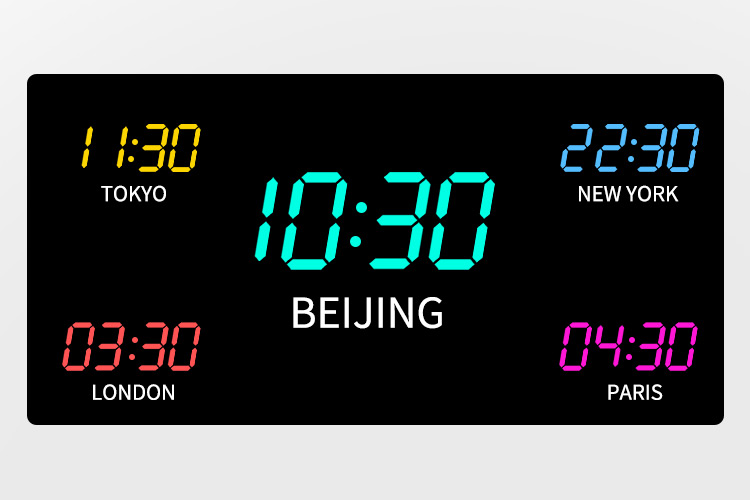
A synchronized multi-zone display does not require every clock to show identical hours. The displays can represent the same moment while showing different local times, with each reading determined by its applicable offset from the reference time. NTP: Network Time Protocol
For your purchase, identify both the reference the equipment must follow and the locations each display must represent. Request confirmation that the proposed configuration maintains the required relationship between those readings.
Choose the Locations and Labels
Start with a list of the cities or operating locations you need to see. Include the country and, where necessary, the state or region so each location can be identified accurately.
Keep the visible label separate from the time-zone setting. A label such as “Head Office” can be meaningful to your team, but the purchase specification should also identify the geographical location and time rule it represents.
Avoid relying on a short abbreviation alone to define the setting. Abbreviations such as CST and IST can refer to different regions, making them unsuitable as the only information used to configure a clock. IANA
Provide the exact wording for each label, including capitalization and any required language. Ask whether the proposed design uses fixed lettering, replaceable nameplates or electronically displayed labels, and confirm the text length available.
Arrange Your Multi-Zone Display
Decide how many local-time readings must remain visible simultaneously. Specify their order from left to right or from top to bottom, rather than leaving the arrangement to be inferred from the location list.
For a multi-time-zone wall clock, describe the available wall area and preferred grouping. Ask whether the proposed arrangement is supplied as one enclosure or as separate coordinated clock modules. The quotation should identify the actual assembly being offered.
| Display Element | Requirement to Define |
|---|---|
| Visible zone count | The number of time readings required at the same time, including any UTC or local reference display. |
| Reading order | The position assigned to each location and whether a particular zone should be visually prominent. |
| Location labels | Exact text, label position and any requirement to change the wording later. |
| Time information | Hours and minutes, optional seconds, and the required 12- or 24-hour presentation. |
| Date information | Whether dates are needed for individual zones or a single clearly identified reference. |
| Legibility | Required digit and label sizes, viewing distance and available lighting. |
| Complete assembly | Overall dimensions, spacing between readings, mounting arrangement and cable access. |
For a 12-hour display, specify how AM and PM must be distinguished. For an arrangement containing several clock modules, request consistent formatting across the group unless particular zones need a different presentation.
Review the location labels at the intended reading distance as well as the time digits. Ask for a layout drawing showing the complete arrangement, not only an isolated display module.
Confirm Time-Zone and Daylight-Saving Settings
Local-time requirements can involve more than a permanent difference from UTC. Time-zone offsets and daylight-saving rules vary by location and can change over time. IANA
Do not assume that automatic synchronization includes automatic daylight-saving adjustment. Ask how the selected clock handles each requested zone: a fixed offset, a manually adjusted setting or a supported location-based rule.
Where automatic seasonal changes are required, have the supported locations and adjustment method identified in the product proposal. Each zone’s requirement should be assessed individually rather than applying one seasonal setting to the entire display.
Also establish how settings can be maintained. Ask whether authorized staff can update a zone locally, whether a configuration tool is required, and how changes to regional time rules would be handled. A printed city name does not establish that the clock contains a city database or receives automatic rule updates.
Approve Each Zone Before Ordering
Configuration Record
Use a zone-by-zone configuration record to connect the approved appearance with the intended time settings. For every display position, record its label, geographical location, time format and seasonal-adjustment requirement.
Equipment Review
When reviewing the proposed equipment, check more than whether the digits are running. Verify that each label corresponds to the correct configured zone and that the selected date and AM/PM information are presented as required.
Seasonal Check
Where seasonal adjustment is part of the purchase specification, request a documented check using representative dates before and after the applicable change. This helps distinguish a correctly configured local-time display from one that merely shows the expected offset on the day of inspection.
Connections
The quotation should also state the power and timing connections for the complete arrangement. For grouped modules, clarify which connections and accessories are required for each unit and which are shared.
Time Zone Clock Purchasing Questions
Can the display include zones with half-hour or quarter-hour offsets?
Include the required offsets in hours and minutes when submitting your zone list. Time-zone offsets are not limited to whole hours, so an adjustment range expressed only in hours may not establish suitability. IANA
Ask HC Electronics to confirm the supported offset range and adjustment increments for the proposed model. Have any fractional-hour requirement included explicitly in the accepted configuration.
Can UTC appear alongside the selected local times?
Include a separate UTC reading in your requested layout. UTC provides a reference independent of local time zones; its display should be identified separately from any location that uses seasonal local-time changes. NTP: Network Time Protocol
Ask for that reading to be included when confirming the number of visible zones and the available display positions.
Can we change a displayed location after purchase?
Specify that requirement before approving the clock. Changing a location may require both new label wording and a different time-zone setting.
Ask which changes the proposed model allows, how they are made and whether replacement label parts or a configuration service would be needed. Replacing a nameplate alone should not be treated as updating the time assigned to that position.
Request a Time Zone Synchronized Clock Quotation
Send HC Electronics your location list in the preferred display order, together with the number of complete assemblies required. Include the available mounting space, preferred time format and any requirements for seconds, dates or automatic seasonal adjustment.
We will review the requested zone arrangement and discuss a clock configuration with clearly identified labels, supported settings and included components.
Request a Time Zone Clock Quote